Siri AI is here, and it has a big impact on the app ecosystem. Users can now interact with your app directly through Siri. That is a real change from how people have used apps until now.
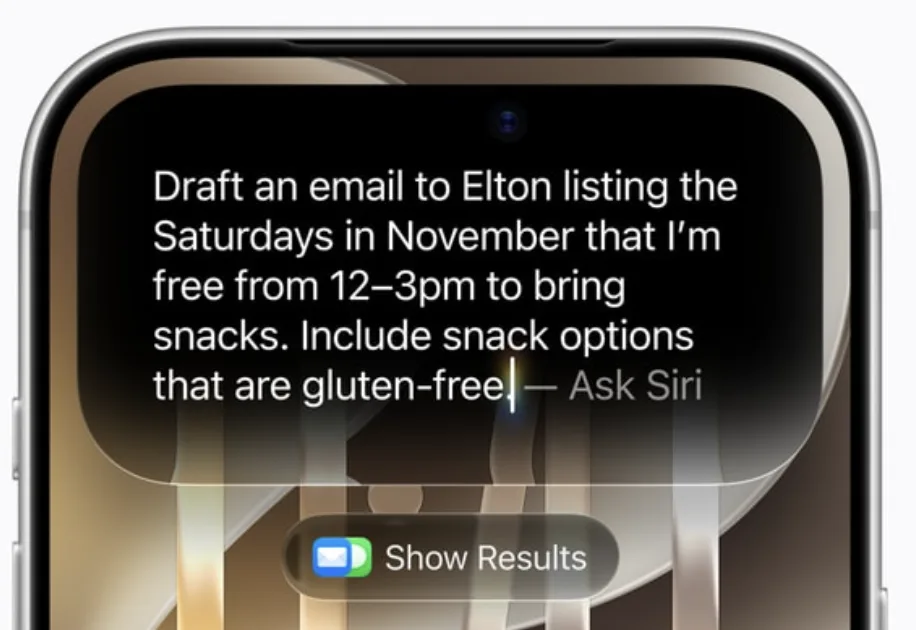
If you manage an app, you have three decisions to make to get your app Siri AI ready. I want to walk through each one and explain why it matters.
Decide what data Siri AI can see
The first decision is what data you want to make available to Siri AI. In most cases this will be the user's own data, meaning the information they can already see when they open your app.
That does not mean everything should be exposed. Sensitive data probably should stay out of reach. Draw that line deliberately instead of letting it happen by default.
Decide what actions Siri AI can take
The second decision is what actions you want to expose to Siri AI. Think about the things users already do in your app every day. Maybe they book appointments. Maybe they create new posts.
Any of those actions can be opened up to Siri AI. The question is which ones actually make sense for your users to trigger by voice or prompt.
Decide what Siri AI knows about the screen
The third decision is on-screen awareness. If a user is looking at your app and asks Siri AI about it, what should Siri understand about what is on the screen right now?
This is the piece that is easiest to overlook. It shapes whether Siri can give a useful answer about the exact thing the user is looking at.
Why this matters now
Today, users open your app to get things done. With Siri AI, that could change. A user could prompt Siri directly and never open your app at all.
If your app has not made these decisions, Siri will not have much to work with. That is why it is worth thinking through the data, the actions and on-screen awareness now, before your users start expecting it.
We can help you get ready
At Rapptr, we have spent years building and maintaining mobile apps, and this is the kind of platform change we help teams plan for. If you have questions about how to set this up for your app, or you want help building it, get in touch with Rapptr. I am happy to talk it through.